From requirements to a buildable plan
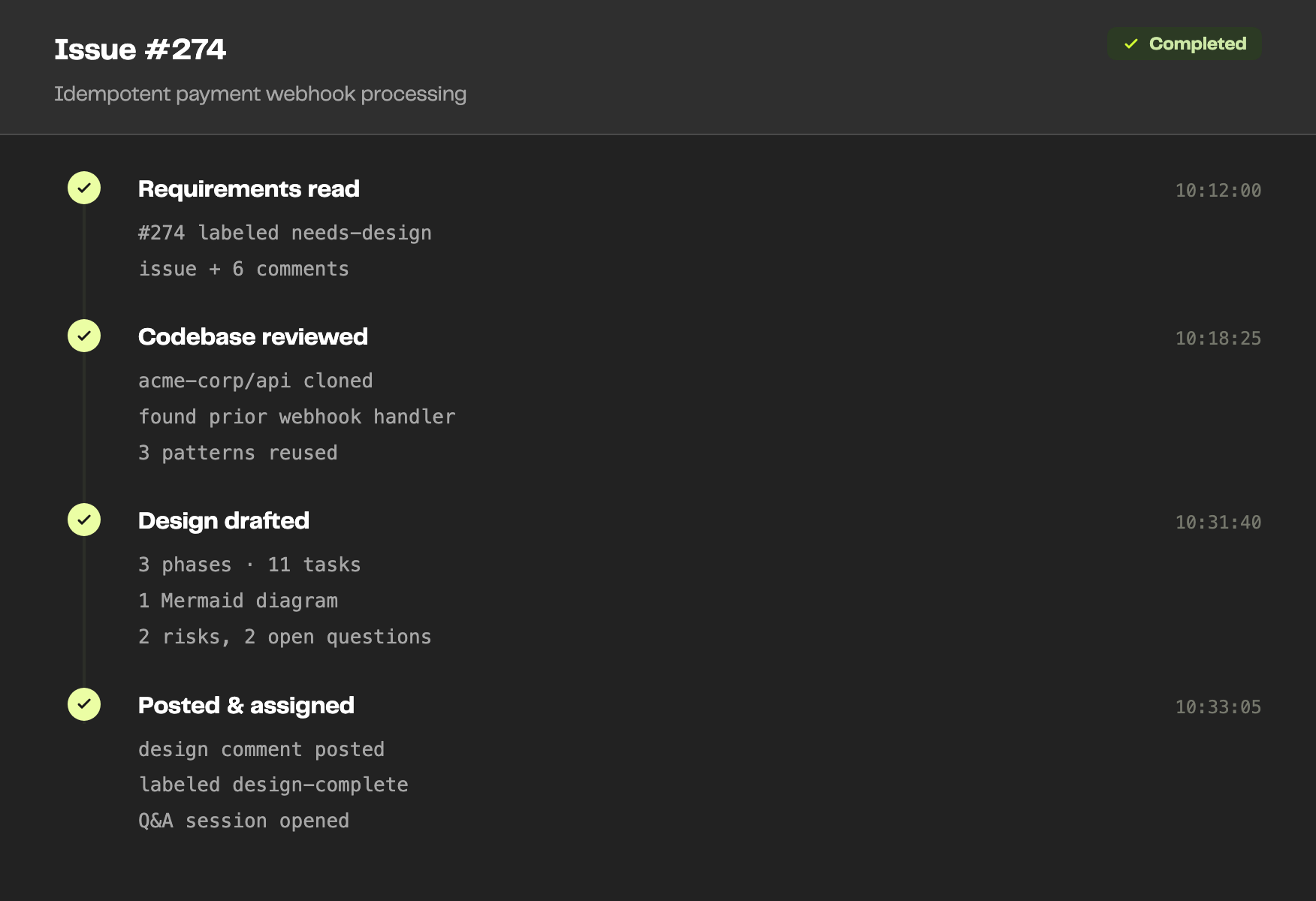
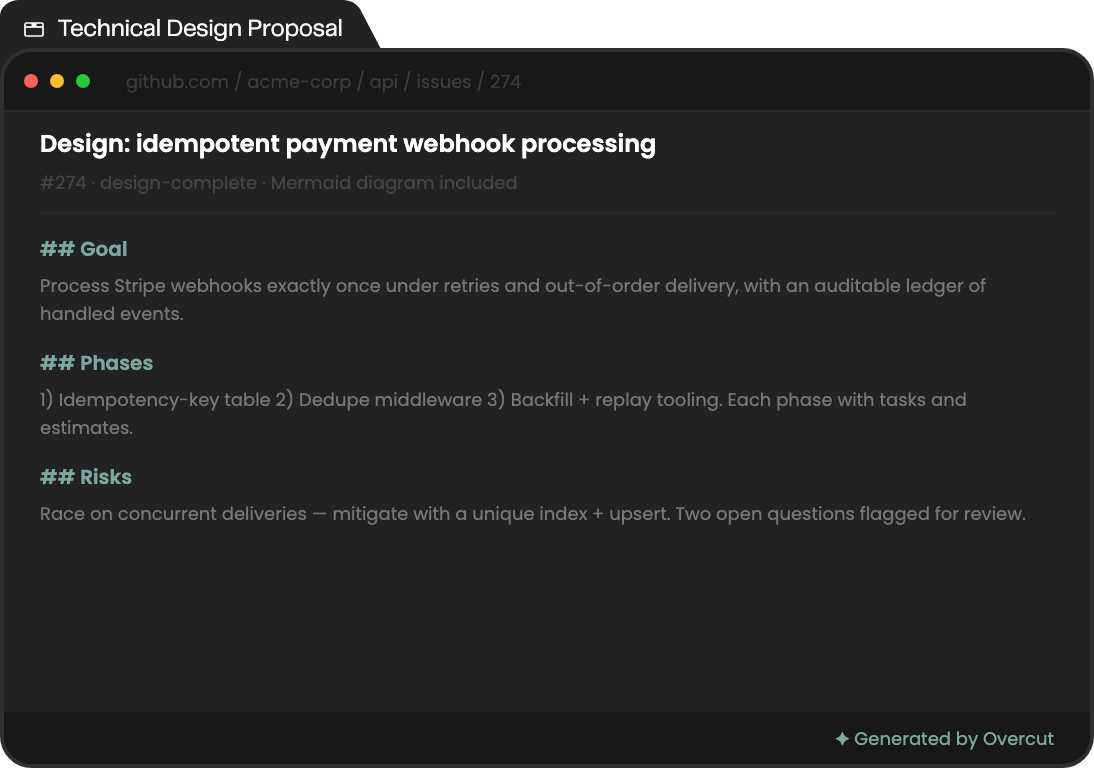
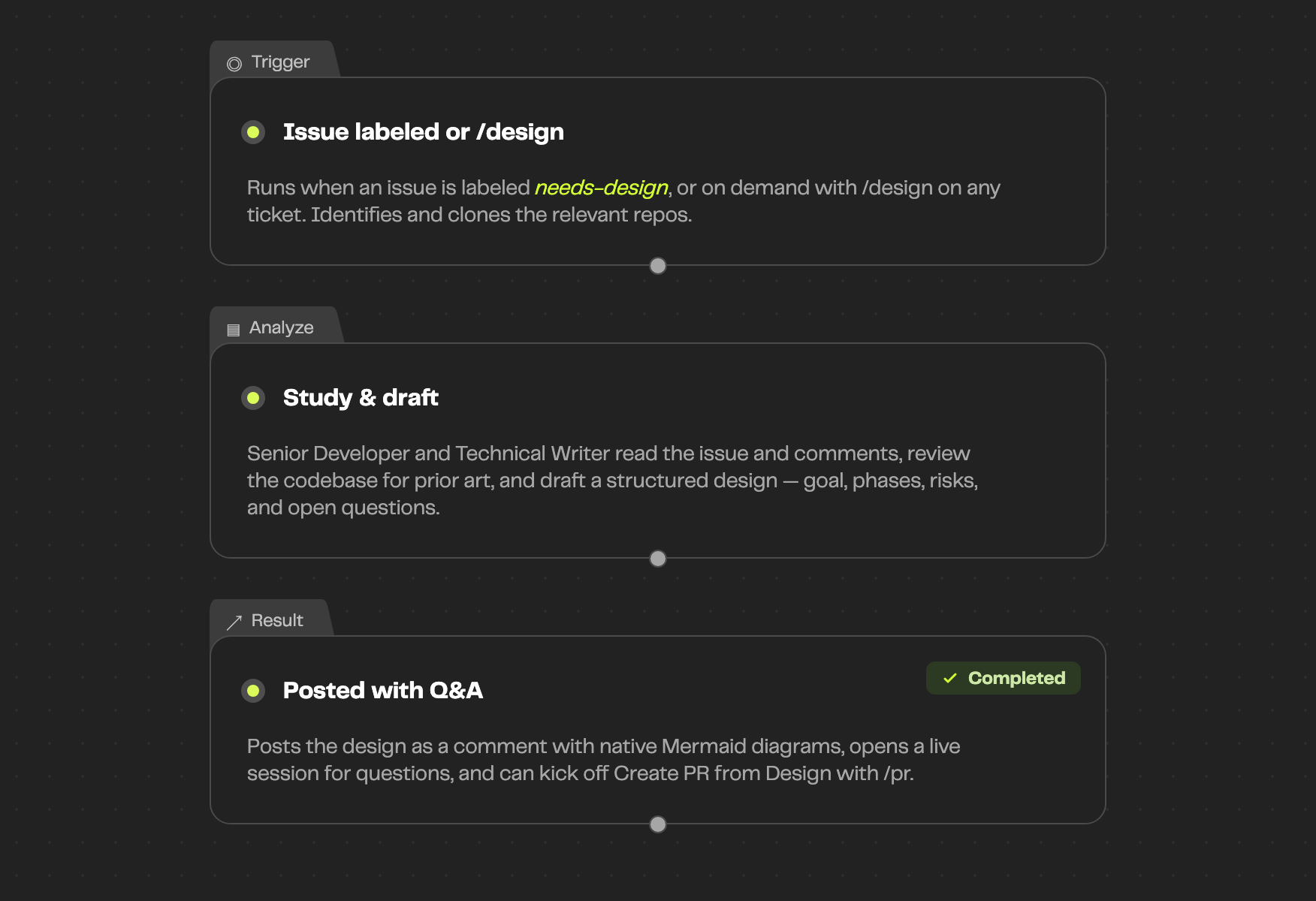
Overcut identifies and clones the relevant repos, then a Senior Developer and Technical Writer read the issue and its comments, review the codebase for patterns and prior art, and produce a structured design — Goal, sequenced phases, open questions, and risks. A Product Manager posts it back and opens a live session to answer questions.
The edge cases, covered
A good design anticipates what could go wrong. Every proposal calls out risks, mitigations, and unresolved questions before a single line of code is written.
Architecture diagrams included
Designs ship with native Mermaid diagrams that render directly in GitHub, GitLab, and your tracker — no extra tooling to visualize the proposed system.
Phased implementation plan
Each proposal lays out a clear Goal followed by sequential phases with detailed tasks, so the design is something the team can actually pick up and build.
Risks flagged before coding
A dedicated Risks & Mitigations section surfaces technical hazards up front, turning design review into the moment problems get caught — not the PR.
Interactive follow-up session
After posting, Overcut opens a live session to field questions and refine the design, and can kick off the Create PR from Design workflow with a single `/pr` comment.
Smart labeling and assignment
The issue is assigned to its creator and labeled `design-complete` or `design-needs-info` based on whether open questions remain.
Plugged into your repos and tracker
Overcut reads issues and comments, explores your repositories, and posts designs as comments with native Mermaid diagrams in the tools your team already uses.


Running from day one
Runs automatically when an issue is labeled `needs-design`, or on demand with `/design` on any ticket. Configure your Senior Developer, Technical Writer, and Product Manager agents and you are ready.