Connect to anything,
control everything
No duplicate systems, no manual syncing. Automation lives inside the tools your team already uses every day.

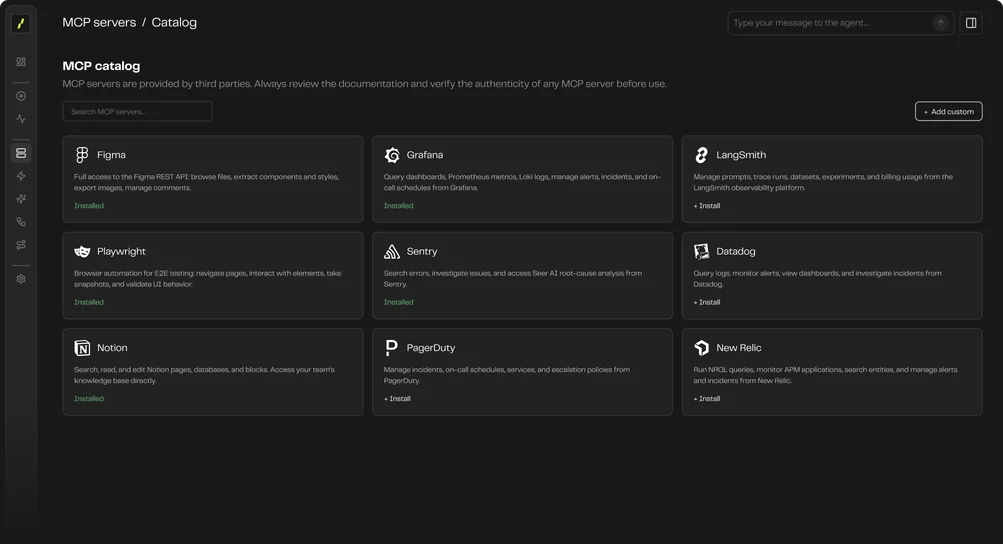







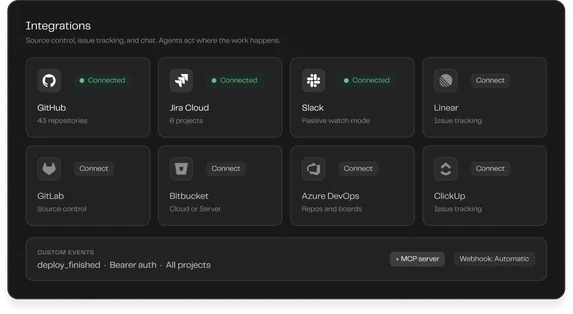
Plugs into your toolchain
GitHub, GitLab, Bitbucket, Azure DevOps, Jira, Linear, ClickUp, Slack, and your CI/CD.
Capabilities
- GitHub
- GitLab
- Bitbucket
- Azure DevOps
- Jira
- Linear
- ClickUp
- Slack
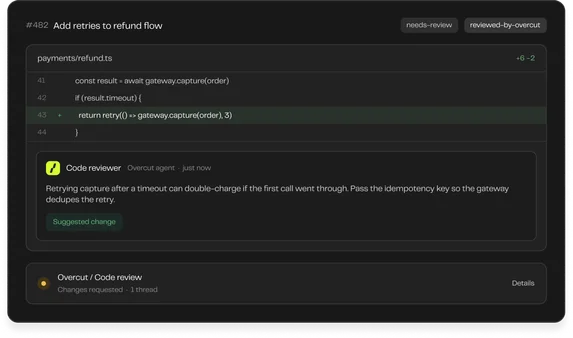
Agents as first-class participants
Agents act through comments, labels, statuses, and assignments. No new UI to learn.
Capabilities
- Native interface
- First-class participants
- Ticket-to-Git mapping
- Custom events & APIs
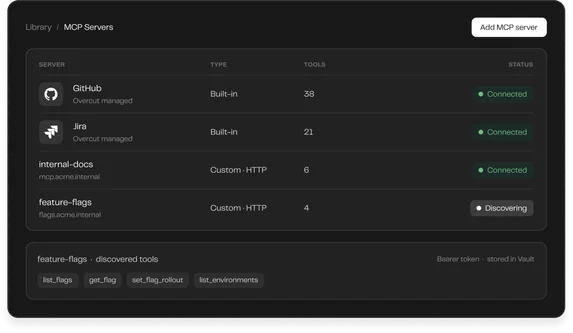
Anything over MCP
Connect any tool that speaks MCP or exposes an API, and trigger workflows from custom events.
Capabilities
- MCP
- REST APIs
- Custom events
- Reusable skills
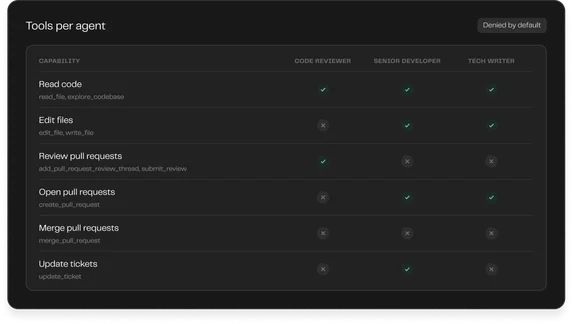
Scoped to every agent
Managed secrets, tool whitelisting, and per-agent access. Nothing more than the job needs.
Capabilities
- Managed secrets
- Tool whitelisting
- Tools per agent
- Scoped tokens

“Overcut moved us from manual ticket triage and scattered code reviews to a governed, standardized process right inside GitHub.”

90%
less time on ticket triage
100%
of PRs reviewed to one standard








Broad reach, scoped to every agent
Reach every tool your team runs, then decide exactly what each agent can touch.
Read the docsReach
- #1
Anything over MCP
Connect any tool that speaks MCP or exposes an API.
- #2
Custom events
Start a workflow from any signal your systems emit.
- #3
Native interface
Agents act through comments, labels, statuses, and assignments.
- #4
Ticket-to-Git mapping
Accurate context in complex org structures, with no manual repo discovery.
- #5
Reusable skills
Package a capability once and share it across agents and workflows.
Scope
- #6
Managed secrets
Keep credentials in one place and hand them to agents at run time.
- #7
Tool whitelisting
Agents reach only the tools you approve. Everything else is denied.
- #8
Tools per agent
Give each agent exactly the access its job needs, and nothing more.



Your AI software factory starts with one command
The same AI everyone has. Run with the security, control, and scale enterprises actually require.
Questions teams ask
Which tools does Overcut connect to?
GitHub, GitLab, Bitbucket, and Azure DevOps for source control; Jira, Linear, and ClickUp for issue tracking; Slack for chat; plus your CI/CD.
What if our tool isn't on the list?
Connect any tool that speaks MCP or exposes an API, and start workflows from custom events your systems emit.
Do engineers need to learn a new interface?
No. Agents act through comments, labels, statuses, and assignments inside the tools your team already uses.
How do we control what each agent can access?
Tools are denied by default. Whitelist the tools you approve and give each agent exactly the access its job needs.
Where are integration credentials stored?
In managed secrets, handed to agents at run time and never exposed in logs.
